
High backrest
Shoulder-height support means your upper body rests instead of self-bracing. It's the difference between sitting in a chair and hovering in front of one.
On: RGB PRO · RGB STARTWINGOMART Ergonomics & Technology
A gaming chair earns its place in hour six, not minute one. This is a plain-language tour of what our chairs do for your body — and exactly which chair does what.
Chapter 01 — Support
Sitting isn't the problem — sitting unsupported is. Chapter one is about the two places a long session attacks first: your lower back and your shoulders.
A backrest that stops mid-spine leaves your shoulders and neck to hold themselves up — and they will, badly, for hours. Our RGB chairs use a high-back design that runs the full length of your back, so your upper body can actually rest against something while you play.
The practical payoff is simple: when the chair carries your shoulders, you stop carrying them. Less bracing, less creeping forward toward the monitor, less of that end-of-session ache you've learned to ignore.
High-back design: RGB PRO · RGB START
See it on the compare table →Your lower spine has a natural inward curve. Most seats let it collapse backward into a slump, and the muscles around it spend the whole session fighting that. Lumbar support fills the gap so the curve holds its shape without effort — that's the whole trick, and it's why it matters more than any other single comfort feature.
On the RGB PRO and RGB START, the lumbar cushion goes one further: it's a massage cushion, so between matches you can trade static support for a break your lower back will notice. The ERGO MESH takes the all-day route with an adjustable lumbar support you set to your own height.
Lumbar massage cushion: RGB PRO · RGB START
See it on the RGB PRO →No mystery structures, no invented science — here's each support element in the lineup and the honest reason it exists.
Shoulder-height support means your upper body rests instead of self-bracing. It's the difference between sitting in a chair and hovering in front of one.
On: RGB PRO · RGB STARTFills the lower-back gap so your natural curve holds without muscle effort — and switches on for a massage break when the session runs long.
On: RGB PRO · RGB STARTBacks come in different heights; fixed lumbar bumps don't care. The ERGO MESH lets you place the support where your curve actually is.
On: ERGO MESHChapter 02 — Materials
We don't claim one miracle material. We offer three honest ones — PU leather, breathable mesh, and memory foam with linen — because how warm you run and how long you sit should pick your surface, not marketing.
The structured, wipe-clean classic. Smooth to the touch, sharp under RGB light, and forgiving of desk-side snacks — spills sit on top instead of soaking in.
Air moves through it, full stop. If you run hot, sit through work-then-play days, or live somewhere with real summers, mesh is the surface that never needs peeling off.
The plush end of the lineup. Memory foam compresses to your shape and eases back when you move, under a soft linen surface that feels more lounge than locker room.
Chapter 03 — Adjustability
Bodies, desks, and play styles don't come in one size. Chapter three is everything on a WINGOMART chair that moves — and which model moves how much.

Your wrists should sit level with your keyboard, not reach up or dangle down. Adjustable armrests close that gap; more axes just mean more directions you can close it from.
Adjustable: RGB PRO · 3D: ERGO MESH · 4D: MEMORY PROQueue times, cutscenes, thinking pauses — a reclining backrest turns them into actual breaks. The MEMORY PRO takes it to the logical end: a full 180° lie-flat recline.
Reclining: ERGO MESH · 180°: MEMORY PROFeet up changes the posture math entirely — weight shifts off your seat and lower back. Both RGB chairs ship with a retractable footrest built in.
Included: RGB PRO · RGB START 180° recline — MEMORY PRO
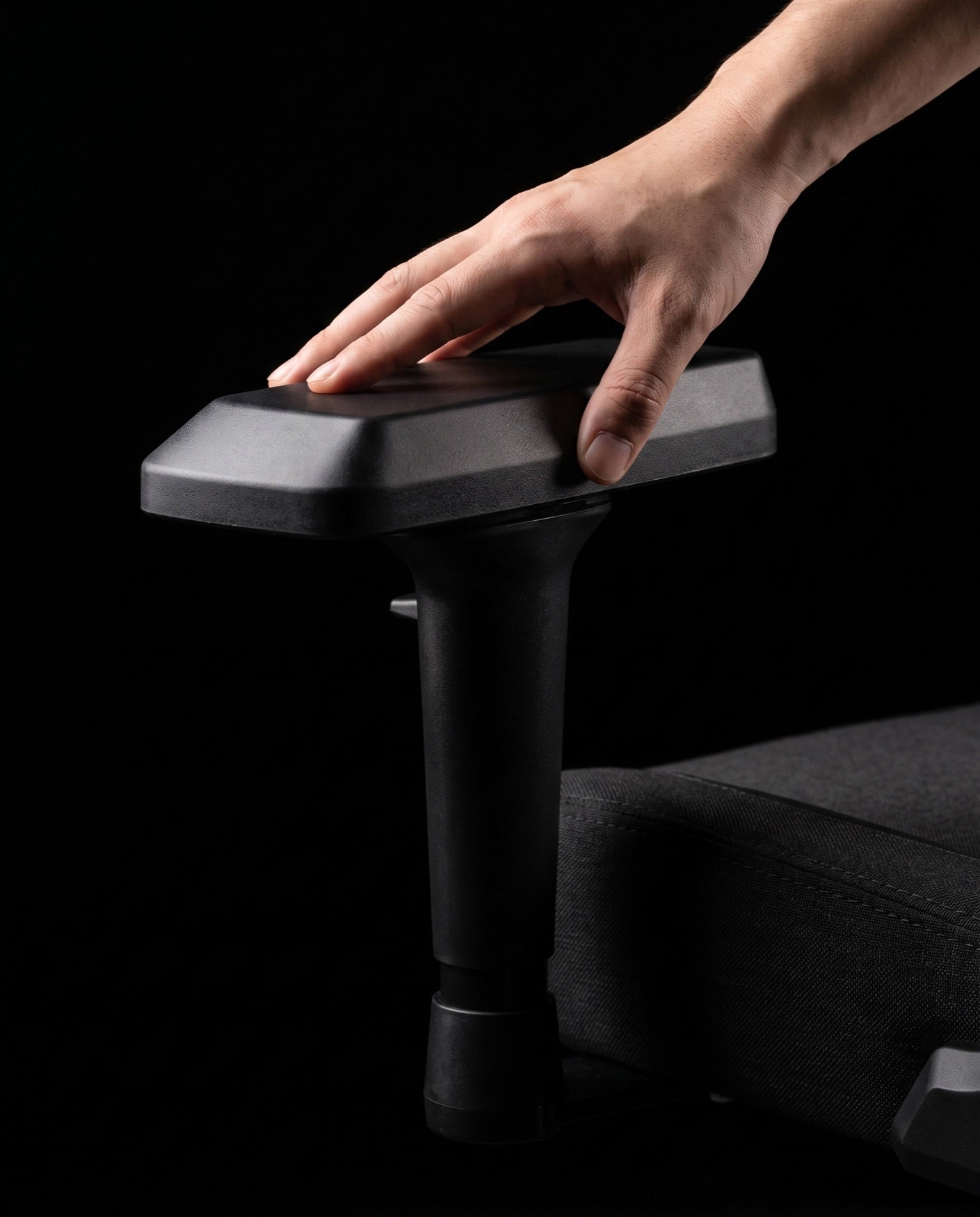
The RGB PRO's armrests adjust to bring your forearms level with the desk — the single change that does the most for tired wrists and shoulders.
On: RGB PROThe ERGO MESH's 3D armrests move on three axes, so mouse-heavy sessions and controller slouches each get their own correct position.
On: ERGO MESHThe MEMORY PRO's 4D armrests add the fourth direction of travel — the setting-fiddler's dream, and genuinely useful if you switch between typing and gaming all day.
On: MEMORY PRORecline to 180° and suddenly the shape of the base matters. The MEMORY PRO sits on a flat alloy base — a low-profile metal footprint that stays out of the way of your feet and looks closer to furniture than to hardware.
It's a small decision that shows how the MEMORY PRO was thought through: a chair built to lie flat needs a base built to be walked around.
Flat alloy base: MEMORY PRO
See the MEMORY PRO →Chapter 04 — Atmosphere
Let's be honest: RGB won't help you clutch a round. It makes the room feel like yours — and that's reason enough.

Built-in lighting on the RGB PRO and RGB START — part of the setup, not an accessory taped to it.
The lighting is a built-in LED system — no app to install, no account to create, no firmware to babysit. Match your keyboard, your strip lights, or nothing at all.
And when you'd rather disappear: turn it off. With the LEDs dark, both chairs read as clean, sharp seats that wouldn't look out of place in an office call.
To say it plainly one more time — the lighting is about the mood of your setup, not your performance in it. We'd rather tell you that here than let a light strip oversell itself.
Built-in RGB LED: RGB PRO · built-in LED: RGB START
See it on the RGB PRO →The four chapters above, condensed to one honest grid. A dash means the feature isn't included on that model — or isn't verified yet, in which case the full compare table says so out loud.
 RGB PRO
|
 RGB START
|
 ERGO MESH
|
 MEMORY PRO
|
|
|---|---|---|---|---|
| Upholstery | PU leather | PU leather | Breathable mesh | Memory foam + linen |
| High-back design | Included | Included | Not included | Not included |
| Lumbar support | IncludedMassage cushion | IncludedMassage cushion | IncludedAdjustable | Not included |
| Built-in lighting | IncludedRGB LED | IncludedLED | Not included | Not included |
| Armrests | Adjustable | Not included | 3D | 4D |
| Recline | Not included | Not included | IncludedReclining | Included180° |
| Footrest | IncludedIncluded | IncludedIncluded | Not included | Not included |
| Flat alloy base | Not included | Not included | Not included | Included |
| View chair | View chair | View chair | View chair |
Facts limited to our verified catalog. For every unconfirmed spec — marked and explained — see the full comparison.
Answer a handful of questions and the fit quiz points at your chair — no email required.
They keep your cart saved, the site fast, and our ads pointed at people who actually want a better chair. You choose which ones we use.